Apri il menu di accessibilità Passa al contenuto della pagina

Get the perfect video every time. No search required!

Describe the video you need and our AI Video generator creates it for you. Generate custom clips and instantly add to your design.

Get the perfect video every time. No search required!

Describe the video you need and our AI Video generator creates it for you. Generate custom clips and instantly add to your design.

How to use PosterMyWall's AI Video generator

Using AI Videos is simple:

Using AI Videos is simple:

  • 1
    Open AI Video.

    Click the AI panel in the editor and select AI Video.

  • 2
    Describe your video.

    Type a text description of the clip you need. Be specific, for example, "Aerial drone shot of a beach at sunset, golden light."

  • 3
    Or add an image.

    Attach an image with your text prompt to turn it into a video. Great for product shots!

  • 4
    Choose settings and add to design.

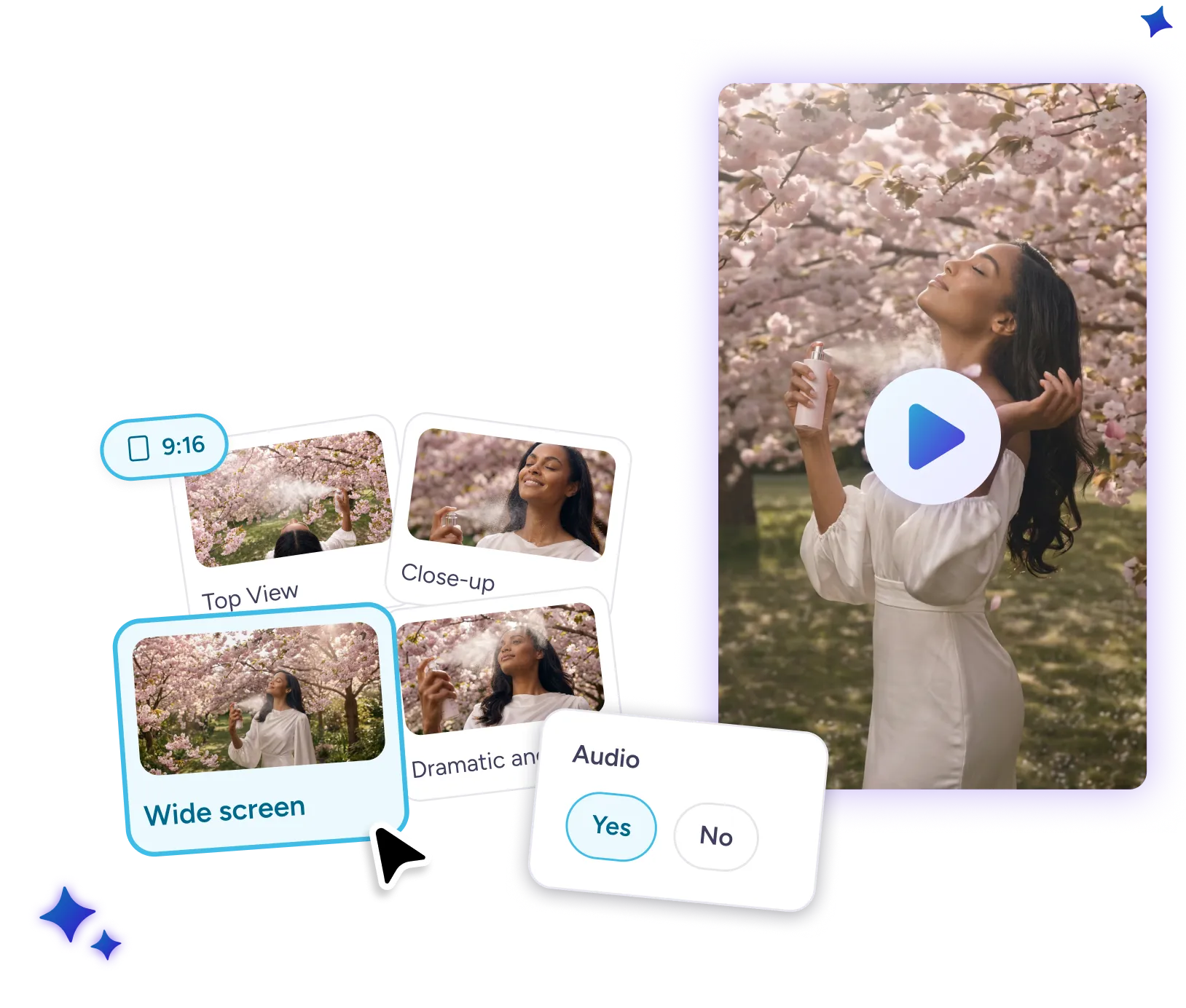
    Pick a camera angle or style, select your aspect ratio (9:16 or 16:9), and instantly add to your design.
Why use PosterMyWall AI Video?

Why use PosterMyWall AI Video?

  • Save time.

    No more scrolling through hundreds of stock clips looking for the right fit. Describe exactly what you need and AI Videos creates it for you in minutes.

  • It's easy.

    A simple text prompt is all it takes to create the video clip you're looking for. Easily select camera angle, style and aspect ratios in a click. No more switching between complex video tools.

  • Audio included.

    Skip the extra search for a matching sound effect or track. AI automatically adds it to your video.

Turn your images into videos with AI

Watch as your prompt turns images into dynamic, moving clips. No time to record that product shot? Add a reference image and the AI Video generator transforms it into a polished video clip in minutes.

Watch as your prompt turns images into dynamic, moving clips. No time to record that product shot? Add a reference image and the AI Video generator transforms it into a polished video clip in minutes.

Tips for AI Video generator prompts

Get the perfect video clip every time.

Get the perfect video clip every time.

  • Be specific. "Drone shot at sunset" is decent. "Aerial drone shot of a beach at golden hour, waves slowly rolling in, warm light" is perfect.

  • Add a reference image. For product shots or branded content, upload a reference image to tailor the video to your subject.

Discover more awesome marketing tools

Power up with Premium:


Progetta ciò che vuoi, quando vuoi, dove vuoi

Progetta ciò che vuoi, quando vuoi, dove vuoi

  • Strumenti di progettazione semplificati

    Crea progetti straordinari in pochi minuti con milioni di modelli e l'editing drag-and-drop. Dai contenuti digitali ai materiali stampabili, personalizza rapidamente i progetti e ridimensionali per adattarli a qualsiasi piattaforma.

  • Progetti più creativi con l'IA

    Stimola la tua creatività con gli strumenti IA che semplificano e accelerano la progettazione. Rimuovi sfondi da immagini e video, crea immagini uniche con l'IA, aggiungi sottotitoli automatici ai video e altro ancora. Contenuti impeccabili ogni volta!

  • Lavora ovunque in team

    Condividi progetti, fornisci feedback in tempo reale e resta in contatto con il team su tutti i progetti. La nostra app mobile consente di modificare progetti e collaborare costantemente per mantenere il processo creativo fluido, sempre e ovunque.

Domande frequenti

What is AI Videos?

AI Videos is a text-to-video generator built into PosterMyWall's editor. Describe the clip you need, choose your settings, and AI generates a custom video ready to add to your design.

What types of videos can AI Videos create?

AI Videos can generate a wide range of clips based on your text prompt, including product shots, scenic backgrounds, and social media content. You can also turn a reference image into a moving video clip.

Can I add audio to my generated video?

Yes. Toggle audio on before generating and AI will create a matching sound effect or track alongside your video.

What aspect ratios are supported?

AI Videos supports 9:16 (vertical) and 16:9 (horizontal), covering both social media and widescreen formats.

How long are AI-generated videos?

Generated clips are up to 8 seconds long.

Is AI Videos available on the free plan?

AI Videos requires a PosterMyWall premium subscription and uses credits. Free plan users can try it by signing up for a free trial or by upgrading to Premium.



