









Le persone amano PosterMyWall
Più recenti · 2025–2026
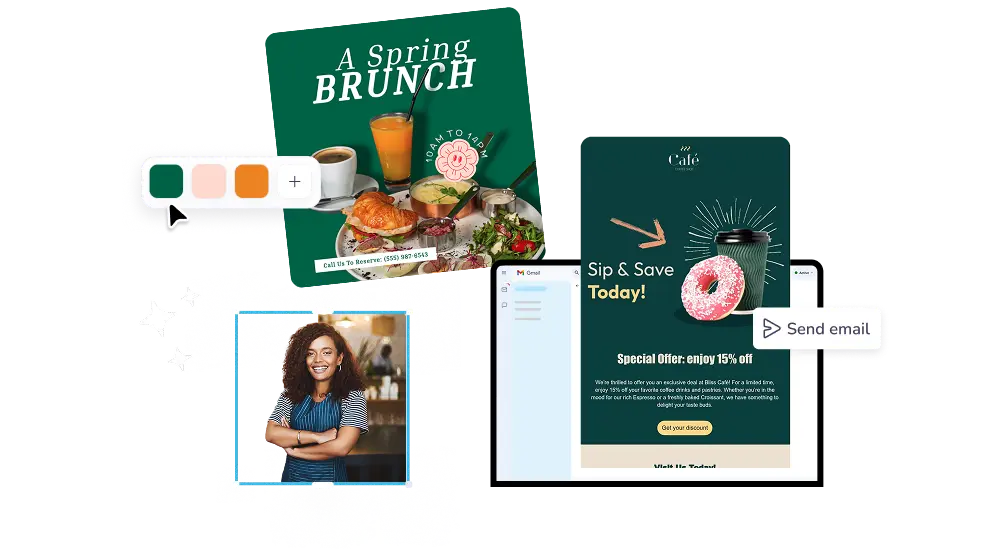
Turn a plain announcement into an email people click. Start from a ready design, drop in your logo and images, then send it to your mailing list from one app.
30 M+
Utenti totali
5k+
Modelli e-mail
244
Paesi e territori
Crediamo che i costi di creazione dei progetti e di marketing non debbano essere esorbitanti. Ecco perché offriamo tanto in un'unica soluzione conveniente. 💪
Su più app


Risparmi $119 con un solo abbonamento
Più recenti · 2025–2026






Every design in the email templates gallery arrives half built, with layout, buttons, and image blocks already in place. Filter by theme, season, or type to find a newsletter template or a sale email that fits what you are sending this week. Nothing is locked, so change the words, colors, and photos as far as you like.
The PosterMyWall email template builder works by drag and drop: pull in text, buttons, images, tables, and video, then set fonts and colors in a click. AI Writer drafts subject lines and body copy, AI Email Redesign restyles the whole layout when you describe the change, and Brand Kits apply your logo, colors, and fonts to every email you make.
Add your mailing list, send a test to yourself, then publish or schedule the email for later. Email campaigns report opens and clicks per send, so you learn which subject lines pull their weight. Signup forms keep growing the list, and the Content Planner calendar shows every scheduled email beside your social posts.
Open PosterMyWall on your desktop, mobile, or tablet to get started for free.
Choose from thousands of professionally designed email templates for any business, event, or occasion.
Add your logo, images, videos, fonts, stickers, audio clips, and more. Use Brand Kits for consistent, on-brand designs.
Download the email HTML for free or preview your email on desktop, tablet and mobile to see how it would look on different screens.
Add a mailing list and send your email straight from PosterMyWall.
Dai saluti stagionali alle promozioni speciali, trova progetti e-mail per tipo, tema o stagione per mantenere il tuo marketing sempre attuale.


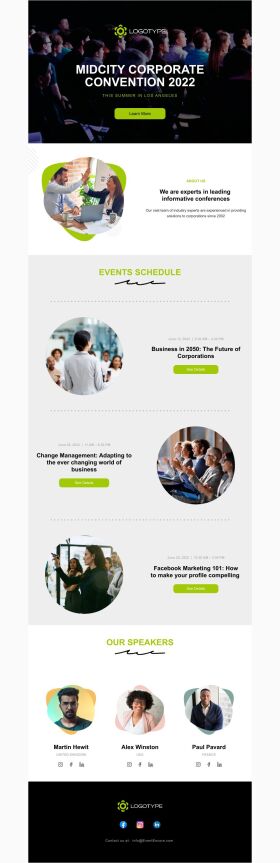


An email template builder is a visual tool for designing reusable email layouts without writing code. You drag in headings, images, buttons, and text blocks, save the result, and reuse it for later sends. PosterMyWall pairs its builder with a template gallery and a sending platform, so one tool covers design and delivery.
Pick a design from the PosterMyWall gallery, swap in your text, photos, and colors, then save it to reuse. The email template maker keeps your layout intact while you change the content, so next month's newsletter takes minutes. Add your logo and brand colors once with Brand Kits.
Yes, browsing, designing, and saving email templates on PosterMyWall is free, and no card is needed to start. Premium and Premium Plus add 10,000+ email sends a month, campaign scheduling, signup forms, Content Planner, and credit-based AI tools.
No, the editor is drag and drop and every template is already laid out for you. Move blocks, change fonts, and swap images on screen while the email code is handled behind the scenes. AI Writer drafts the copy whenever a blank page slows you down.
Yes, AI Writer generates subject lines, preview text, and body copy inside PosterMyWall, so the email template generator step and the writing step happen in one place. Pick the tone and length you want, then edit the draft directly inside your design.
Yes, Brand Kits store your logo, brand colors, and fonts, then apply them to any email template in two clicks. Upload your assets once and every campaign matches your storefront, website, and social posts. Everyone on your account works from the same kit.
PosterMyWall email designs are responsive and built to render across major inboxes, including Gmail, Outlook, Apple Mail, and mobile apps. Send a test to yourself before publishing, since that step catches image and spacing problems. Keep to about three images per email so it loads fast.
Yes, Premium and Premium Plus plans let you schedule a campaign for a chosen date and time, or use Send at Best Time, which picks the slot your list opens most. Scheduled emails appear on the Content Planner calendar next to your social posts.
Premium and Premium Plus include 10,000+ email sends a month from PosterMyWall, plus open and click reporting on every campaign. Free accounts can design and save emails, then upgrade once the mailing list is ready. Check the pricing page for what each tier includes.
Yes, every email you save sits in My Stuff, ready to duplicate for the next send. Change the offer, dates, and images while the layout stays put, which is what makes a mail template builder worth the setup for weekly newsletters and monthly specials.

Gradient di PosterMyWall



© 2010-2026 250 Mils LLC. Tutti i diritti riservati.




